Why Matrix?
We run our own Matrix homeserver to ensure we always have a way to network without relying on corporate platforms that can shut down or take our data. Matrix provides decentralized, encrypted communication that we control.
How to Connect
Any Matrix-compatible app can connect to our server. Popular options include Element X (mobile/desktop) or the web client:
- Web: element.superheroactivism.org
- Mobile/Desktop: Element X, FluffyChat, or any Matrix client
Signing Up
Access is by invitation only. If you've been invited to join, here's how to get set up:
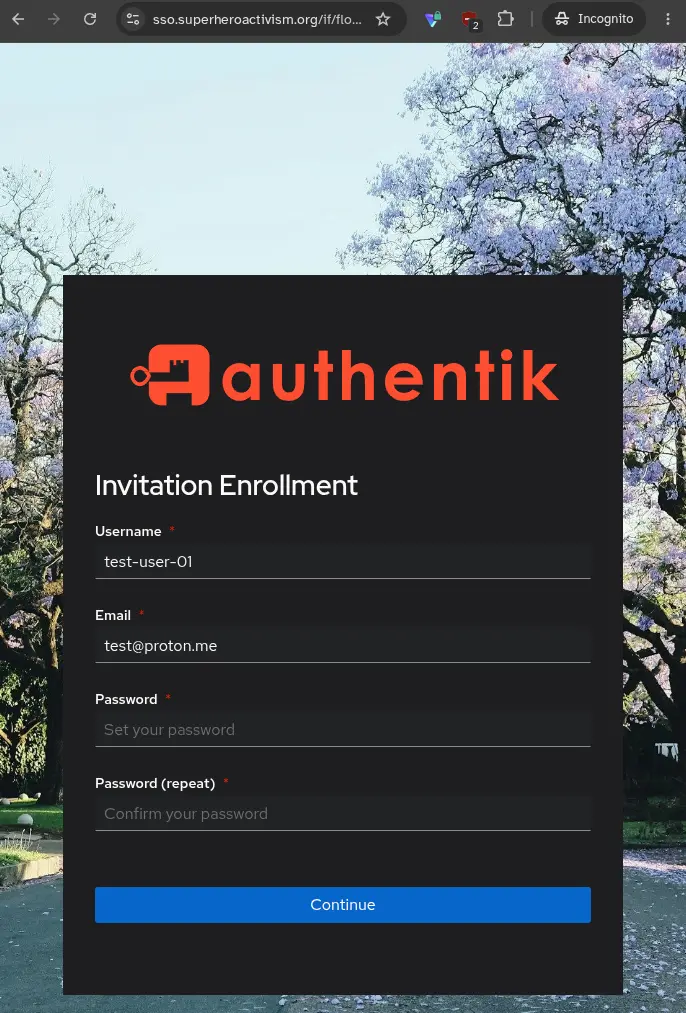
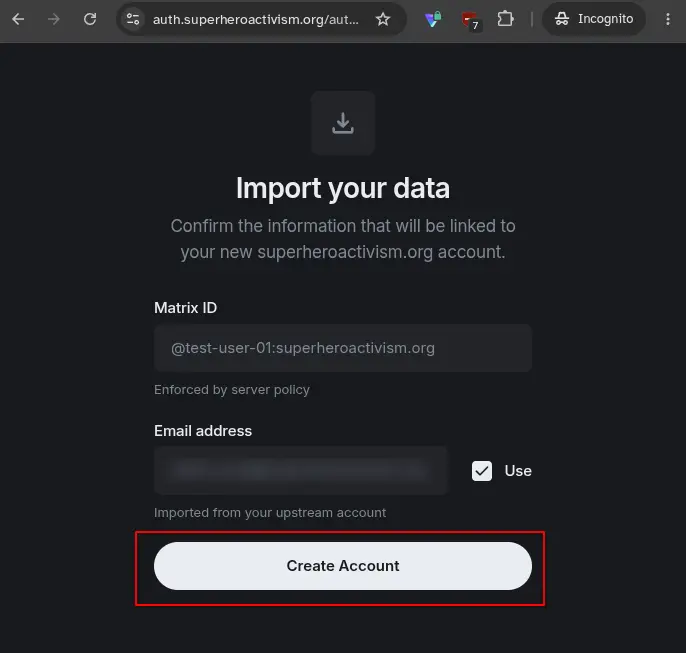
Create your account
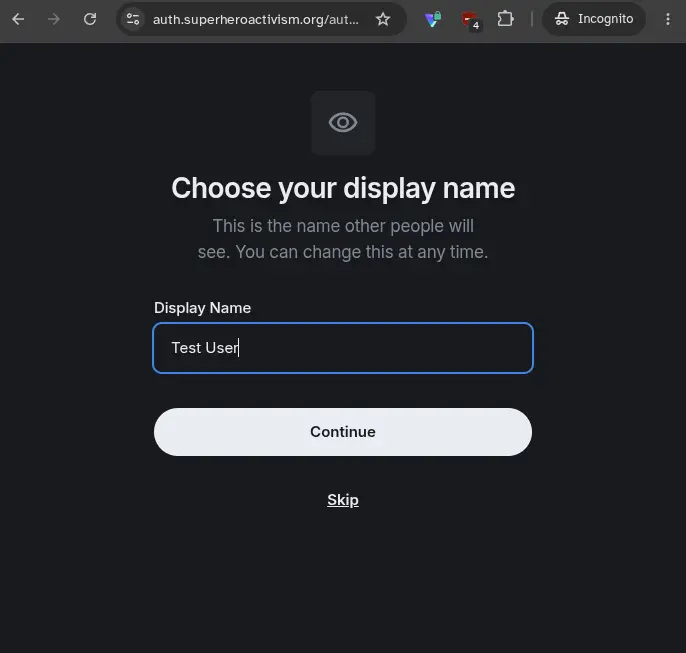
You'll start on our login portal to create your credentials. You'll be given a link to use to sign up.
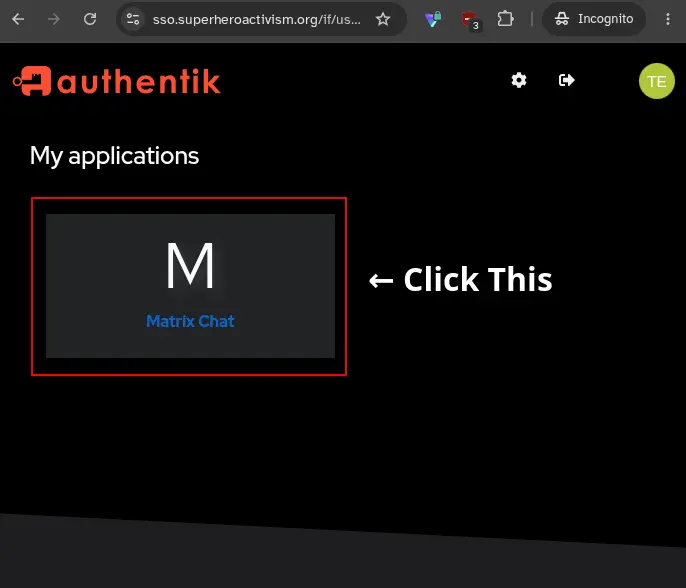
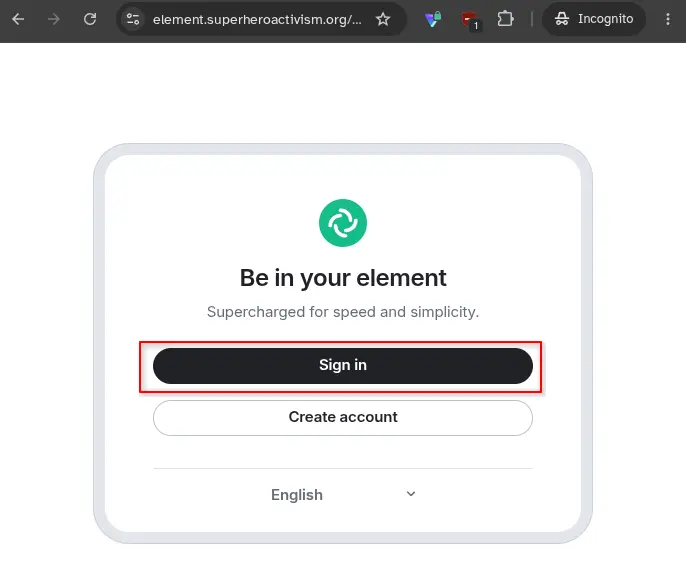
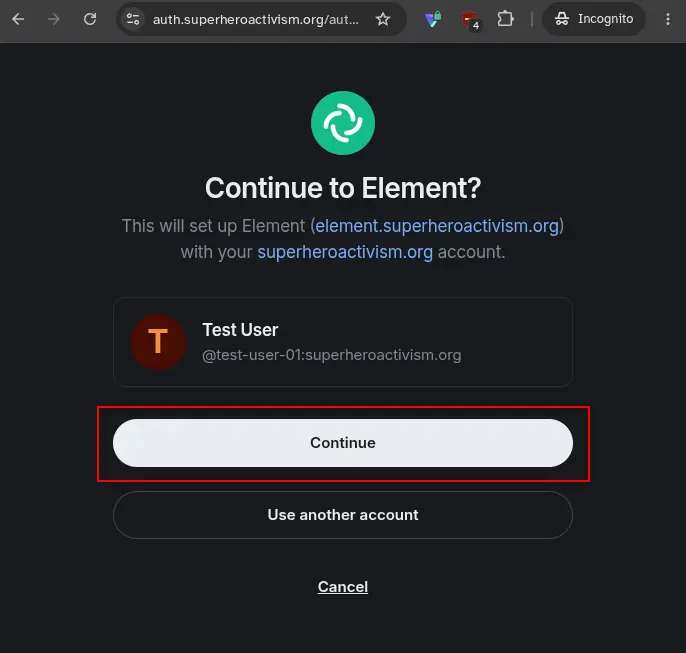
Log in to chat
Element will ask you to confirm your server and create your chat profile.
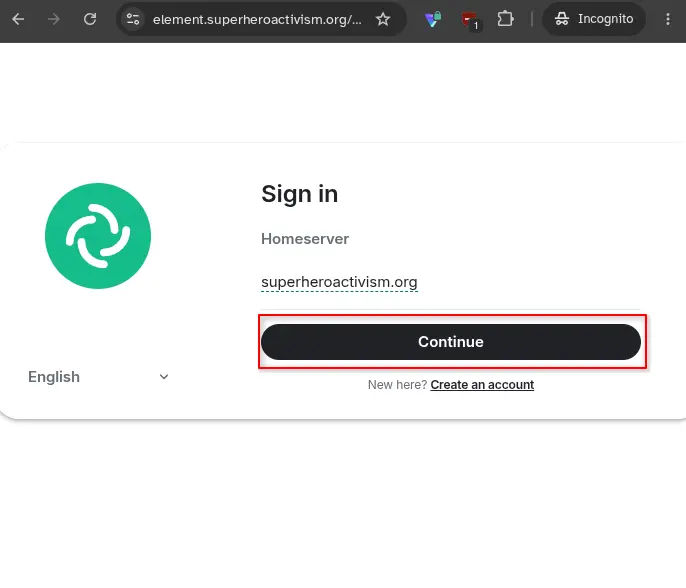
Logging In Again
After your first login, Element will remember you. If you need to log in again:
- Go to element.superheroactivism.org (or open Element on your device).
- Click "Sign In" and enter the email and password you created during signup.
You'll see Global Network in your Spaces. Join any chats you like, or create your own Spaces and Rooms with whatever privacy level you want. Public Spaces and Rooms appear in search.
Upcoming Projects
We're building a suite of self-hosted tools for organizers: decentralized communications (Matrix), social media, mapping capabilities, and more as needs arise. Development continues as time and budget allow.
Once we've refined this system based on your feedback, we'll release full instructions for hosting your own. Stay tuned for updates in our chat rooms.